18–144
BOD bottles
Biochemical oxygen demand
Automate tasks such as dispensing, mixing, bottle de-capping and dissolved oxygen measurement, depending on the configuration.
Automation platform
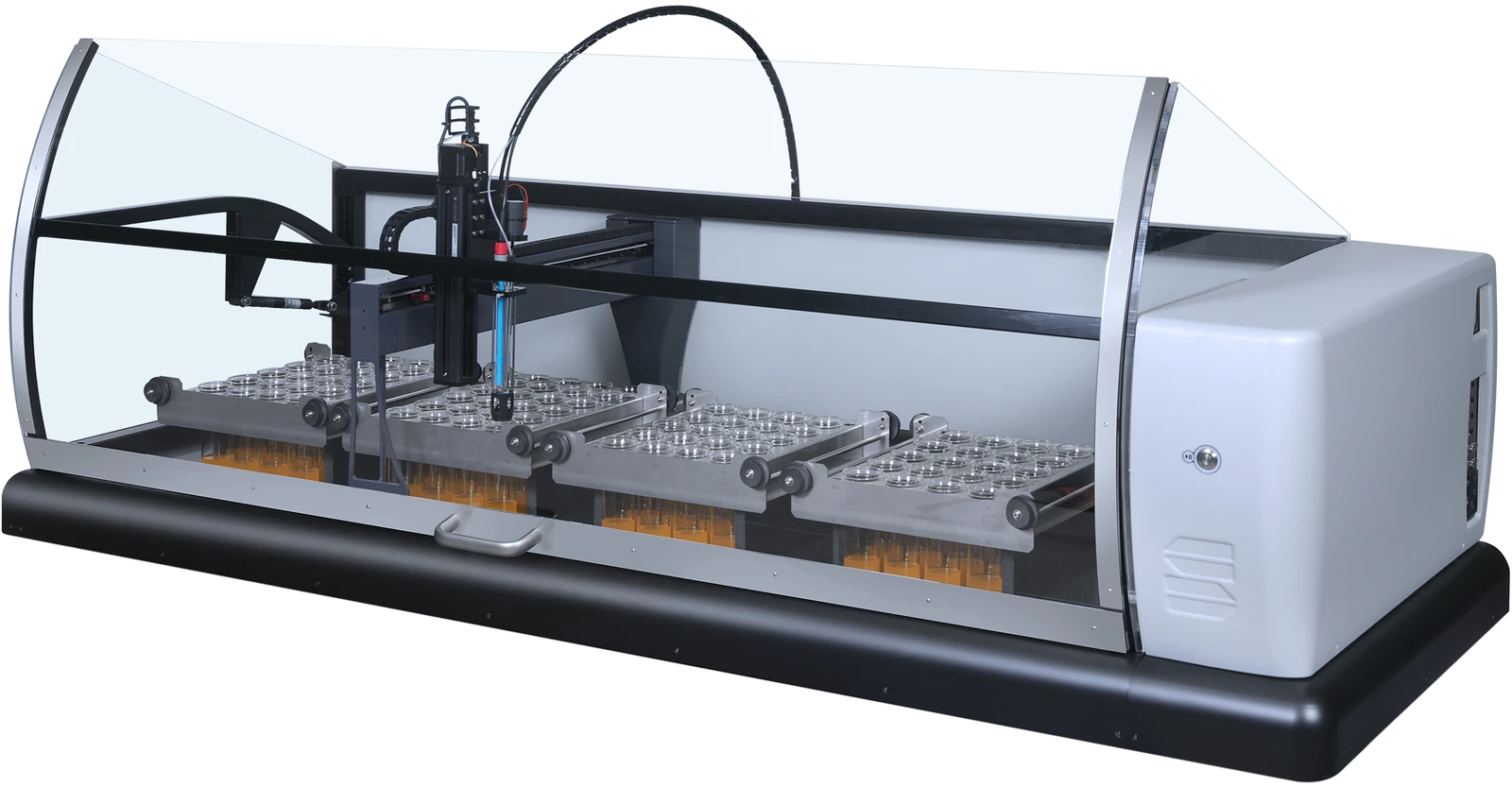
SP2000 automates tasks that may take up much of your workday today: preparing samples, dispensing, mixing or measuring. The configuration starts from your procedure, not the other way around.
Configuration
Three example configurations that show the scope of the SP2000 family. Each one serves a different procedure.
18–144
BOD bottles
Automate tasks such as dispensing, mixing, bottle de-capping and dissolved oxygen measurement, depending on the configuration.
48–288
tubes per Test Kit batch
Integrate tube handling, reagents, heating and reading. The platform can work with test kits and photometers from various suppliers.
Up to576
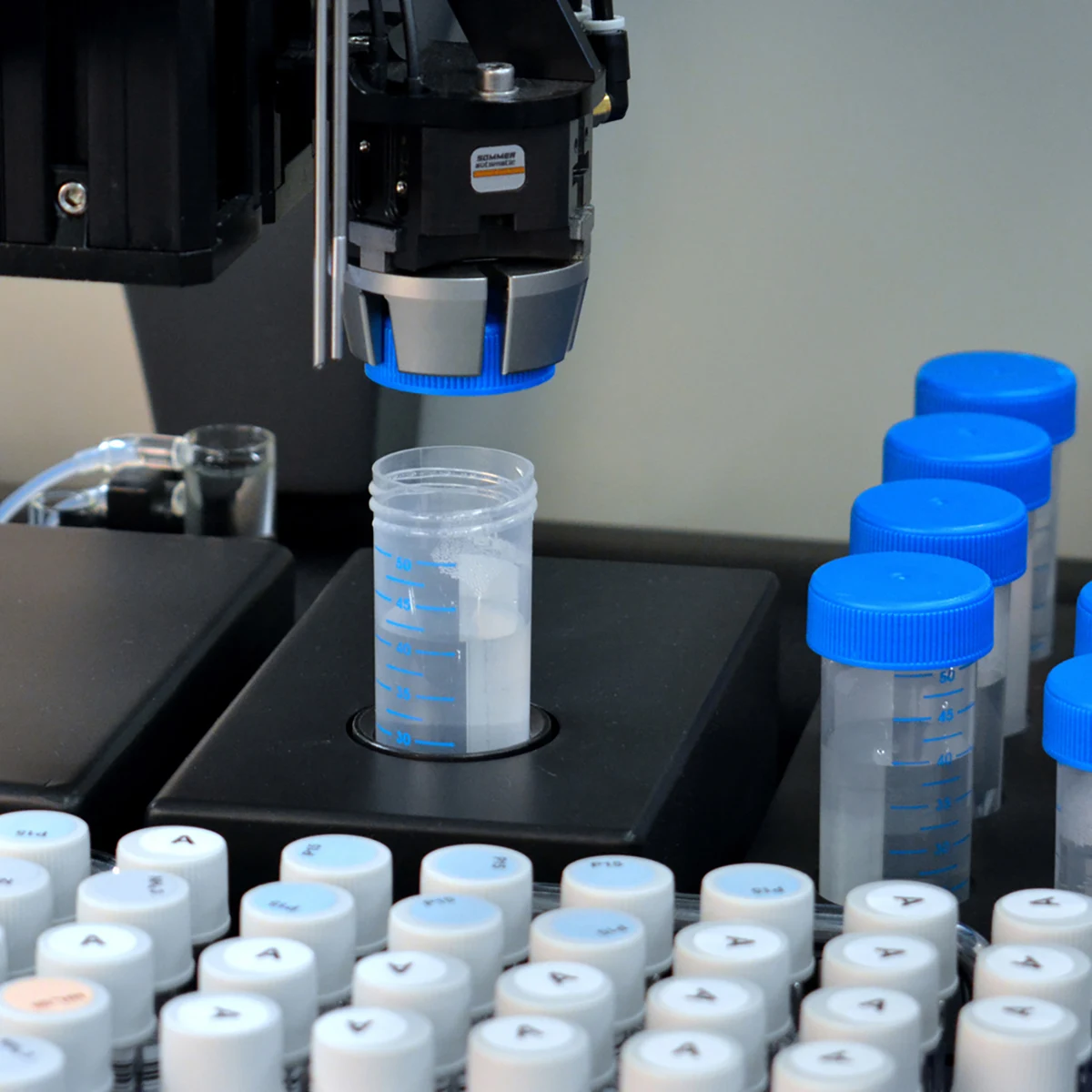
50 ml containers for soil pH
The soil configuration can add the extractant, stir, wait for a predefined time and measure pH.
These capacities belong to different configurations; they are not combined features of a single instrument, nor samples analyzed per hour.
Technology
These examples show different possibilities of the SP2000 family, not a single configuration.
01 / Preparation

02 / Handling
03 / Analysis
04 / Monitoring
Define the containers and the operations you want to automate. For COD by titration, racks with samples that are already digested are placed on the robot to continue the procedure.
Depending on the configuration, the robot can dispense, mix and handle containers. This links repetitive tasks into a single sequence.
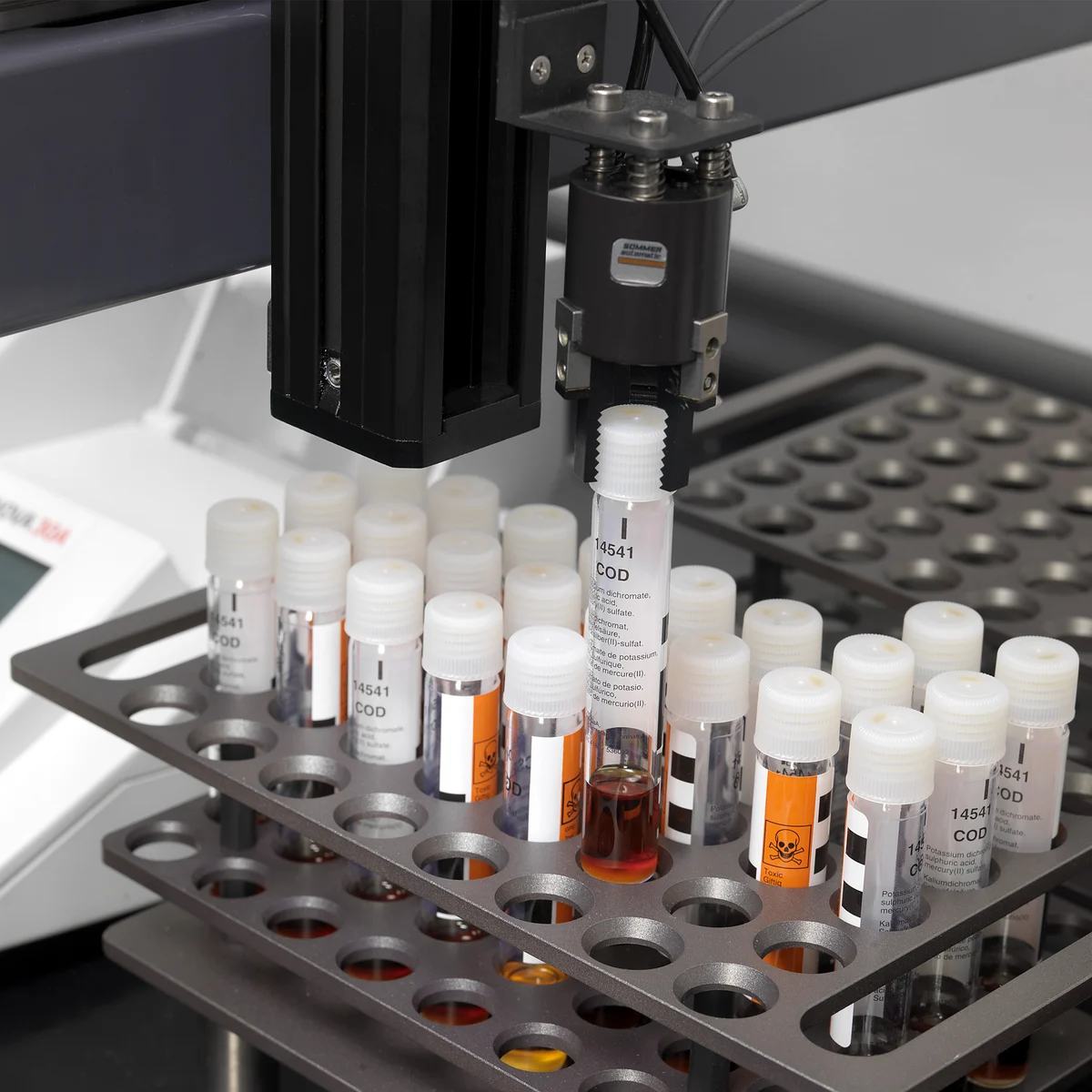
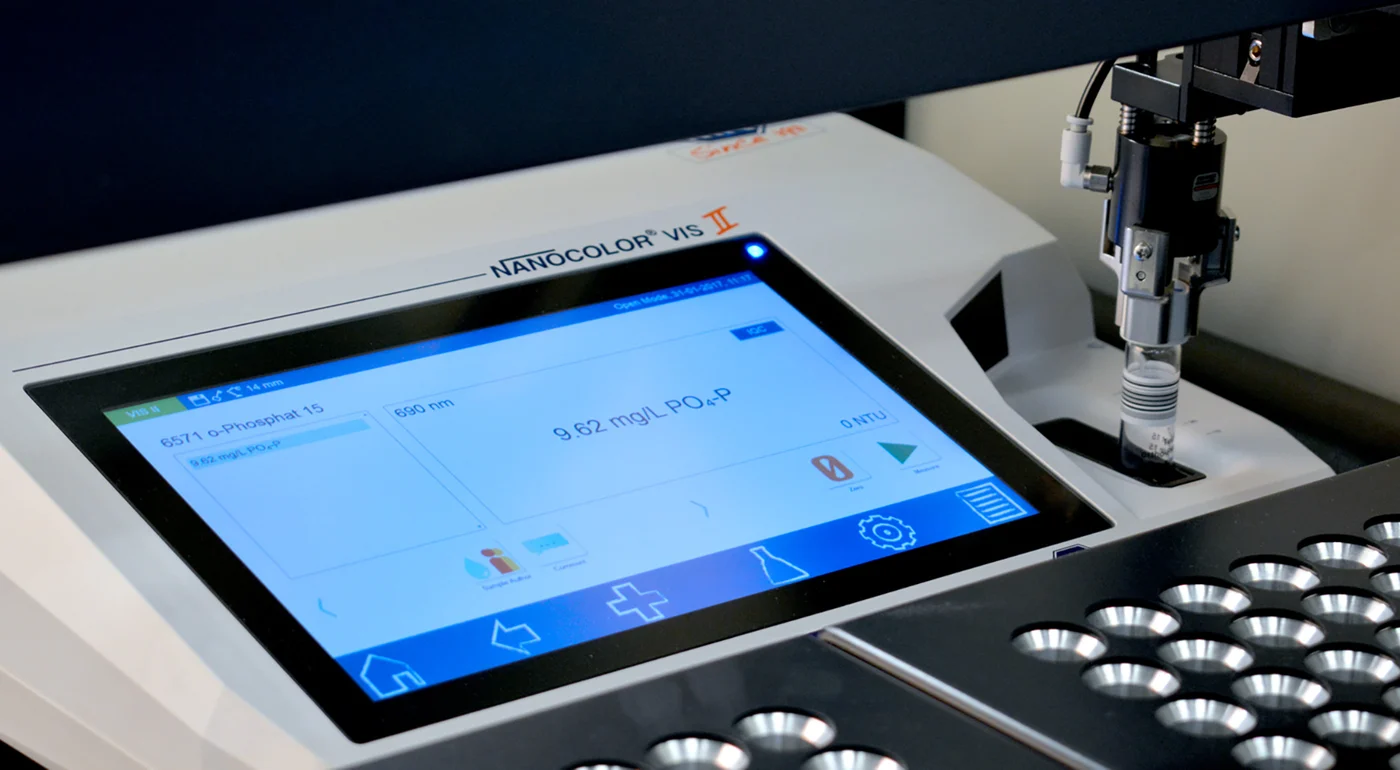
Measurement is integrated to suit your method: for example, titration or photometric reading. The image shows a Test Kit configuration.
RoboticAccess lets you schedule the start, follow results in real time and add priority samples during the run. It includes quality control features and export to Excel or LIMS. The photo shows a Test Kit configuration.
Applications
Search for your application to see the starting point. We can also review a procedure specific to your lab.
Share your current steps, the containers and the number of samples. With that information we evaluate the scope of the automation.
Frequently asked questions
The video shows the Test Kit configuration, which differs from the COD-by-titration system in the main image.
No. SP2000 is a family of platforms configured by application. The main image shows a system for COD by titration; other tasks need a different layout.
Yes. We can review preparation steps, analysis steps or both. What matters is defining which work the system will do and which tasks will stay outside it.
In certain configurations, yes. The containers, operations and timing need to be reviewed to confirm a workable combination.
Walk us through your procedure step by step, which containers you use and how many samples you process. We also want to know where most of the manual work is today.
Your next SP2000
Tell us what you need to measure. We’ll review the sample, method and workload to guide the choice of instrument.
You can also write to us
contacto@ugs-international.com.mx